JavaScript 101 - Part 2: Hoisting, Variables, and Functions
Let’s start with a simple example.
Example 1
console.log(x);
var x = 5;
console.log(x);
What do you think the output will be?
Output:
undefined
5
At first, this output may look confusing.
Why does the first console.log(x) print
undefined?
Why does it not give an error?
To understand this, we need to understand how JavaScript runs code.
JavaScript does not directly start running the code line by line. Before running the code, JavaScript first creates memory.
This happens inside the Global Execution Context.
The Global Execution Context has two main phases:
1. Memory Creation Phase
2. Code Execution Phase
Now let’s understand both phases using the first example.
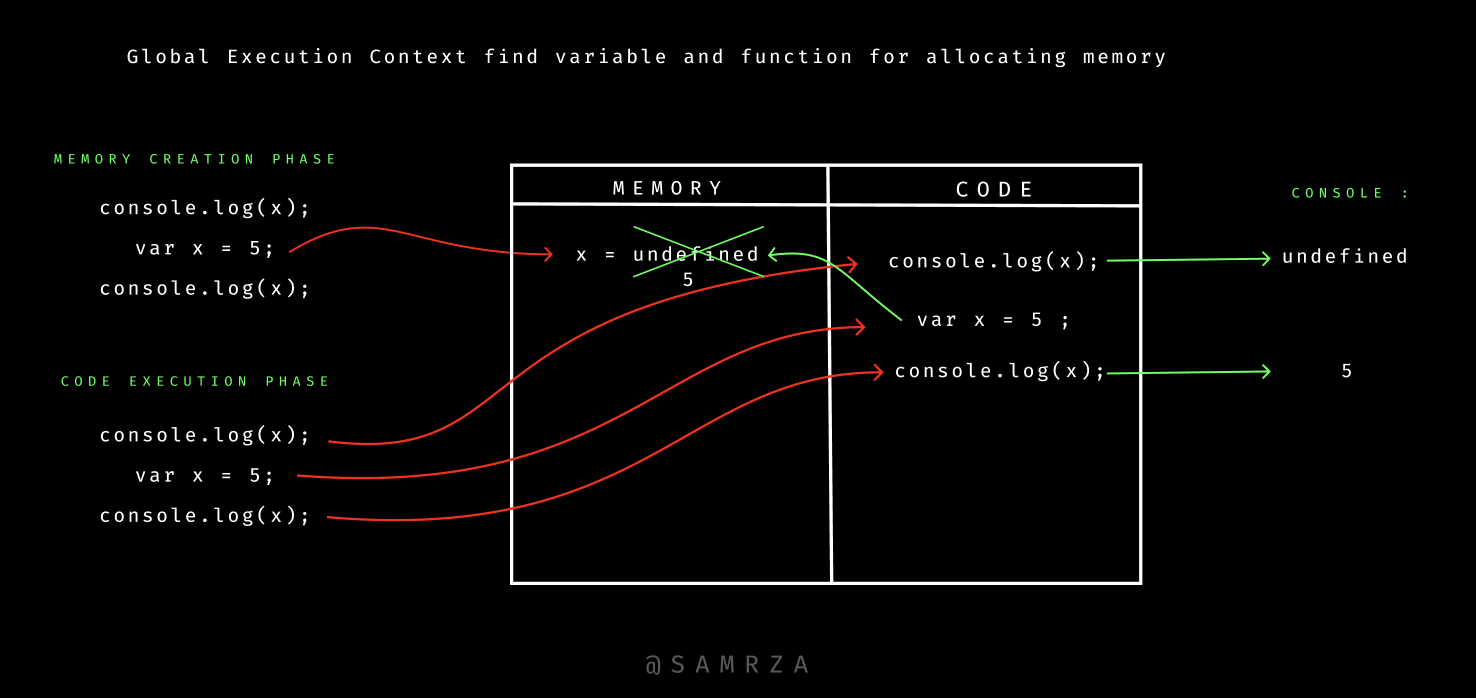
In the memory creation phase:
JavaScript scans the whole code before running it. When JavaScript sees
var x, it creates memory for x and stores the
value as undefined.
It does not store 5 immediately. The value
5 is assigned later during the code execution phase.
So in memory, it looks like this:
x = undefined
In the code execution phase:
JavaScript runs the code line by line. First,
console.log(x) runs.
At this time, x is already in memory with the value
undefined, so JavaScript prints undefined.
Then var x = 5 runs, and JavaScript assigns the value
5 to x.
After that, the second console.log(x) runs. Now
x has the value 5, so JavaScript prints
5.
That is why the final output is:
undefined
5
Below image summarizes all ↓
Now let’s look at another example.
Example 2
console.log(cube(3));

function cube(num) {
  var ans = num * num * num;
  return ans;
}

console.log(cube(3));
What do you think the output will be?
Output:
27
27
Again, this may look strange.
How can we call cube(3) before the function is written in
the code?
The answer is again related to the memory creation phase.
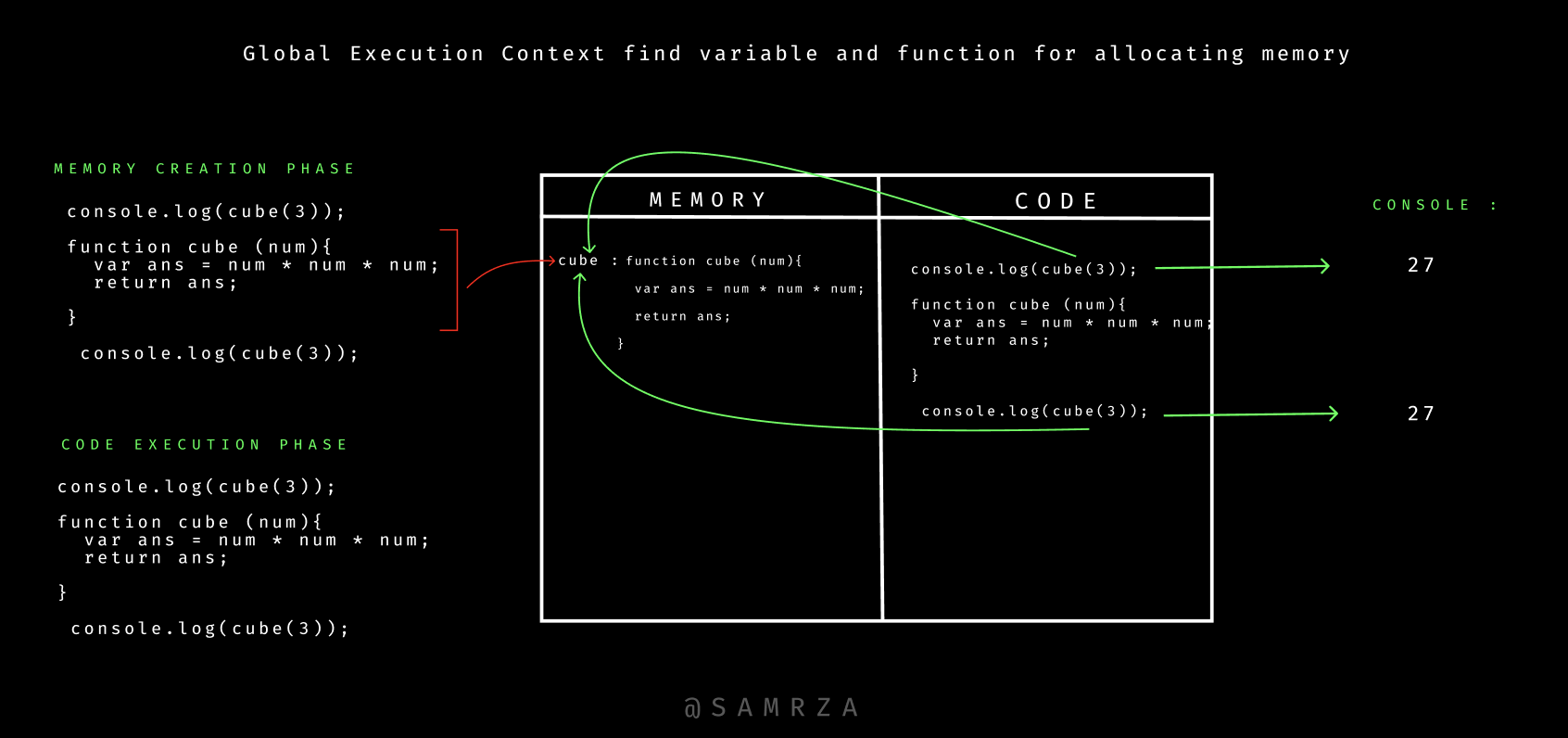
In the memory creation phase:
JavaScript scans the code before running it. When JavaScript sees a
function declaration like cube(), it stores the complete
function code in memory not undefined like variables.
So in memory, it looks like this:
cube : function cube(num) {
  var ans = num * num * num;
  return ans;
}
This is why we can call cube(3) even before the function
declaration appears in the code.
In the code execution phase:
JavaScript starts running the code line by line. First,
console.log(cube(3)) runs.
JavaScript calls the cube function and sends
3 as the value of num.
Inside the function, this line runs:
var ans = num * num * num;
Because num is 3, it becomes:
var ans = 3 * 3 * 3;
So ans becomes 27.
Then the function returns 27, so the first output is
27.
After that, JavaScript reaches the function declaration. But nothing special happens there because the function was already stored in memory during the memory creation phase.
Then the second console.log(cube(3)) runs. JavaScript calls
the same function again, calculates 3 * 3 * 3, and returns
27.
So the second output is also 27.
That is why the final output is:
27
27
Below image summarizes all ↓
This behavior is commonly known as hoisting.
Hoisting means JavaScript stores variables and function declarations in memory before running the code.
But variables and functions are stored differently.
Variables declared with var are stored as
undefined.
Function declarations are stored completely with their full code.
move to JavaScript 101 - Part 3→In summary:
In the memory phase, variables are stored as
undefined, and function declarations are stored completely with their full code.In the code execution phase, JavaScript runs the code line by line. Variables get their actual values, and functions are called and executed.